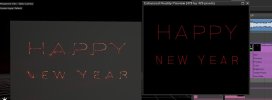
I often use LD2000 software and Beyond software to create logos or image sequences for clients, but I find that these patterns are very unsightly when projected in DEPENCE software, with severe trailing at broken strokes. I tried modifying the parameters, but there was no significant improvement unless I added many black dots, which would increase my workload. Whoever has experience in improving this phenomenon, please share it, thank you.

beyond & depence
- Thread starter jujun
- Start date