zerowaitstate
Well-Known Member
This should probably be posted in the Beyond section, but i picture you like my seld sitting back on a sunday afternoon sipping a beer, solving the problems of the world.
I trust this finds you all well.
I don't set this up often enough, and there is one concept I keep coming back to that just breaks my brain for some reason regarding how DMX is handled between the FB4s and the PC. I'm hoping someone can clarify the workflow or point out what I'm missing.... i am hoping this is a brain fart / Face palm moment ... i am getting relly close to haveingthe desk drive lights / media servers and lasers from the same control surface ... being able to globally set colour, or paly back speed will transform my shows
The Hardware:I’m running 2 x KVANT CM3000 lasers, each with an integrated FB4. I am controlling them from a lighting console.
What I understand (The FB4 Standalone Method):I understand the concept of exporting content to the FB4 as a standalone device, assigning it a DMX start address in Projection Zones > Advanced, and treating it as a single fixture.The limitation: Under this method, I am limited to treating the entire laser as one distinct fixture/zone (e.g., Laser 1 is just "Atmospheric").
What I want to achieve (The Beyond DMX Server Method):When I sit directly at the Beyond PC, I can assign those two physical lasers to many different virtual projection zones (Atmospheric, Main Graphics, Mirror Ball 1, Mirror Ball 2, Tree Feature, etc.). By setting constraints on each zone in Beyond, I can ensure nothing blasts into the crowd.
I thought the idea of the Beyond DMX Server was that the PC acts as the brain. I want to specify a Page and Cue from my console, use DMX overrides to adjust playback speed/direction/size, and have Beyond respect whatever destination zone that cue is assigned to.
For example, I want the console to trigger a cue, and Beyond handles this routing automatically:
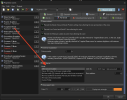
However, when I navigate to Settings > DMX > DMX/ArtNet Settings > Input options, there only seems to be an option for FB3. I am not seeing the larger server profiles that match what is available to patch in my console (such as the Beyond DMX Server 56 CH or the Beyond DMX Server Extreme 51 CH+). For that matter in Projection zones >> Advanced i dont see the dmx server profiles and every thing here seems tied to a projection zone
My Question:Where do I actually select and configure those 50+ channel server profiles so the PC acts as the brain? How do I properly configure the Beyond DMX Server so that my console is just triggering Pages/Cues and applying effects, while the Beyond PC handles the complex multi-zone routing to the correct FB4s?
Thanks in advance for any insights!
I trust this finds you all well.
I don't set this up often enough, and there is one concept I keep coming back to that just breaks my brain for some reason regarding how DMX is handled between the FB4s and the PC. I'm hoping someone can clarify the workflow or point out what I'm missing.... i am hoping this is a brain fart / Face palm moment ... i am getting relly close to haveingthe desk drive lights / media servers and lasers from the same control surface ... being able to globally set colour, or paly back speed will transform my shows
The Hardware:I’m running 2 x KVANT CM3000 lasers, each with an integrated FB4. I am controlling them from a lighting console.
What I understand (The FB4 Standalone Method):I understand the concept of exporting content to the FB4 as a standalone device, assigning it a DMX start address in Projection Zones > Advanced, and treating it as a single fixture.The limitation: Under this method, I am limited to treating the entire laser as one distinct fixture/zone (e.g., Laser 1 is just "Atmospheric").
What I want to achieve (The Beyond DMX Server Method):When I sit directly at the Beyond PC, I can assign those two physical lasers to many different virtual projection zones (Atmospheric, Main Graphics, Mirror Ball 1, Mirror Ball 2, Tree Feature, etc.). By setting constraints on each zone in Beyond, I can ensure nothing blasts into the crowd.
I thought the idea of the Beyond DMX Server was that the PC acts as the brain. I want to specify a Page and Cue from my console, use DMX overrides to adjust playback speed/direction/size, and have Beyond respect whatever destination zone that cue is assigned to.
For example, I want the console to trigger a cue, and Beyond handles this routing automatically:
- Main Graphics > FB4 01
- Atmospheric Effects 01 > FB4 01
- Mirror Ball 01 > FB4 01
- Atmospheric Effects 02 > FB4 02
- Hot Beams > FB4 02
However, when I navigate to Settings > DMX > DMX/ArtNet Settings > Input options, there only seems to be an option for FB3. I am not seeing the larger server profiles that match what is available to patch in my console (such as the Beyond DMX Server 56 CH or the Beyond DMX Server Extreme 51 CH+). For that matter in Projection zones >> Advanced i dont see the dmx server profiles and every thing here seems tied to a projection zone
My Question:Where do I actually select and configure those 50+ channel server profiles so the PC acts as the brain? How do I properly configure the Beyond DMX Server so that my console is just triggering Pages/Cues and applying effects, while the Beyond PC handles the complex multi-zone routing to the correct FB4s?
Thanks in advance for any insights!