FiskeLasers
Member
Trying out the new media tracer - I am just testing and trying to trace some short video clips. I am able to open and import the video. MP4 H264, and AppleQT ProRes422.
I am able to trace the video, do all of the settings etc.
I am able to export a single frame trace.
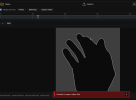
I am NOT able to export the animation, trace or split. The error I receive is "UNABLE TO OPEN VIDEO FILE" which doesn't make sense as the video is inside the tracer. Video file is located on a network drive.
I will try to move the file locally, and I am in process of trying various other codecs. Any help?
Also the Help Document is not connected to the help menu. So when you launch the DOC help from within the tracer, it throws you into a "this page no longer exists" response on the webpage.
The real link for the HELP DOC is https://wiki.pangolin.com/doku.php?id=beyond angolin_media_tracer&s[]=new&s[]=media&s[]=tracer
I am able to trace the video, do all of the settings etc.
I am able to export a single frame trace.
I am NOT able to export the animation, trace or split. The error I receive is "UNABLE TO OPEN VIDEO FILE" which doesn't make sense as the video is inside the tracer. Video file is located on a network drive.
I will try to move the file locally, and I am in process of trying various other codecs. Any help?
Also the Help Document is not connected to the help menu. So when you launch the DOC help from within the tracer, it throws you into a "this page no longer exists" response on the webpage.
The real link for the HELP DOC is https://wiki.pangolin.com/doku.php?id=beyond
angolin_media_tracer&s[]=new&s[]=media&s[]=tracer