Flyingpictures
Beta Tester

We build a utility to convert line art to laser files, and video to ILDA anim or through Blender to Beyond.
I thought others might find it useful. Free to use. Feedback appreciated.
https://trace2laser.zone.net.au/
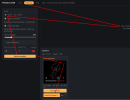
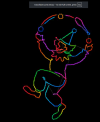
Load and render your simple animated video. (Simple means clear line object on a blank background.)
Download ILDA file or Blender file.
Blender option exports this animation as Blender Grease Pencil strokes instead of a finished .ild.
Pangolin's own point engine does the laser conversion — AutoAnchor/AutoBlank, Keep Path Consistent (fixes frame-to-frame ordering pop), and Beam Brush driven by stroke thickness.
Requires Blender 4.5 LTS + Pangolin's Lasershow Converter Blender (LCBlender) addon + BEYOND, all on YOUR computer. If you don't use BEYOND, the standard .ild download is what you want.
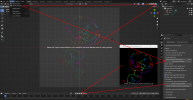
- Open the .blend in Blender 4.5 LTS
- Render Engine → Lasershow Converter Renderer; Render Source: Grease Pencil.
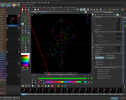
- Send Frames to BEYOND.
See https://wiki.pangolin.com/doku.php?id=tools:lcblender:start Video